Stop getting locked out of your bank. Stop fighting with corporate SSO. Stop explaining why you're logging in from Thailand. Steady Link is a pocket USB router that makes every website and service think you're at home — no more account freezes, no more security alerts, no more geo-blocks.
No payment. Join the waitlist and we'll email you when your spot opens.
In alpha now — a bunch of alpha testers are already using Steady Link, and we're expanding soon.
Banks freeze your cards. PayPal limits your account. Crypto exchanges demand video verification. Each new country triggers security alerts that can take days to resolve.
Corporate VPNs fail. SSO systems require IT approval. Microsoft 365 demands MFA resets. Google Workspace flags "suspicious activity". Slack wants email verification loops.
Investment platforms blocked. Tax filing portals inaccessible. Government services unavailable. Insurance claims rejected. Even your local news site shows "not available in your region".
With Steady Link, your laptop always appears to be at home — eliminating these friction points entirely.
Every digital nomad knows this scenario: You land in a new country, open your laptop at a café, and suddenly you're locked out of everything. Your bank freezes your account. Corporate SSO demands IT approval. Investment platforms block access. Even routine work emails trigger endless verification loops.
The culprit? Your foreign IP address screams "security threat" to every system you need to access. Traditional VPNs are detected and blocked, conflict with corporate security, need admin rights you don't have, and break constantly on hotel networks.
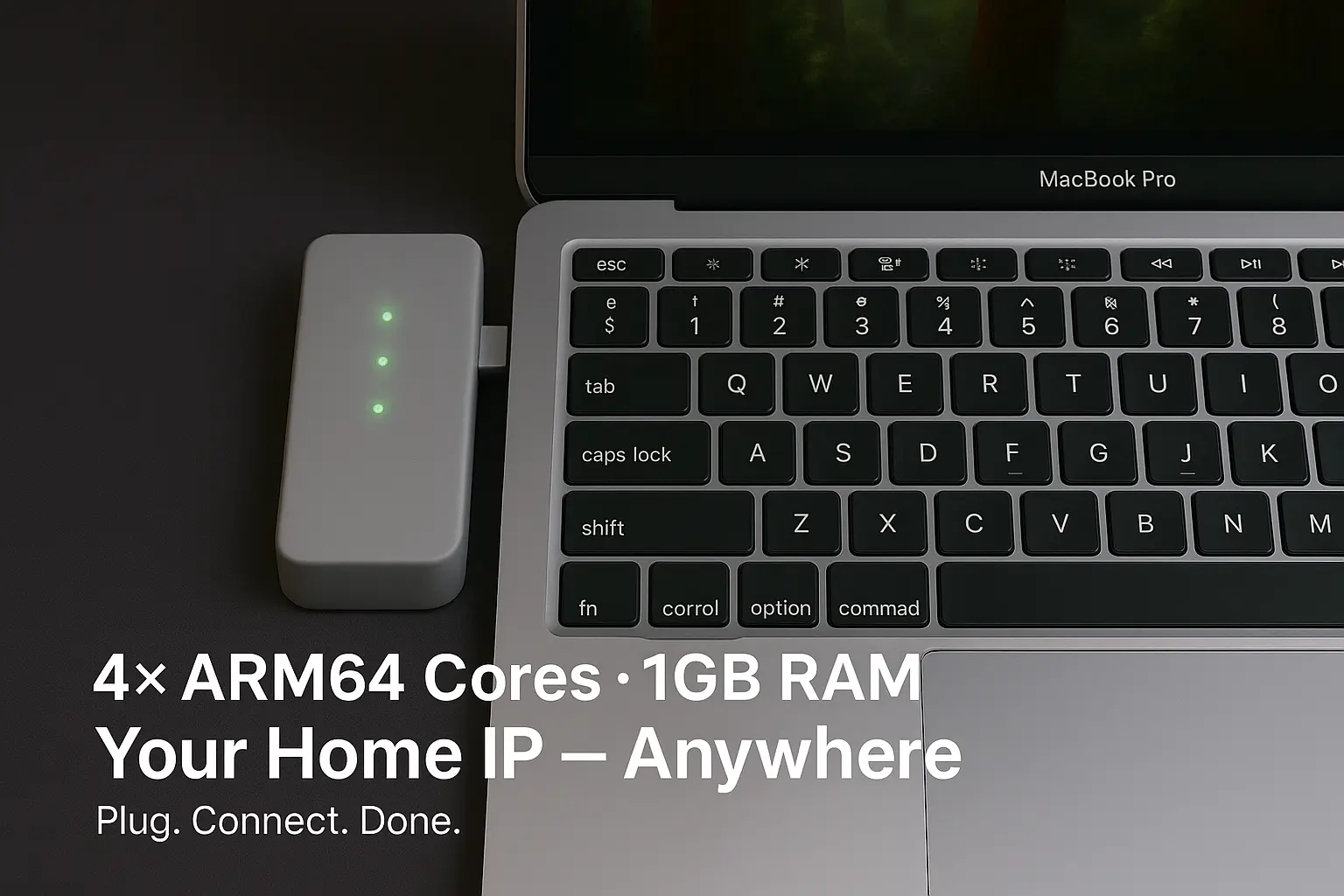
Steady Link is a compact USB device that makes every website and service think you're sitting at home. Just plug it into your laptop — it appears as standard Ethernet. No software to install. No drivers needed. No IT approval required.
The device handles everything autonomously: connects to local Wi-Fi, establishes secure tunnels to your home network, and routes all traffic through your residential IP. Your bank sees you logging in from your usual location. Corporate SSO recognizes your trusted IP. Geo-blocked services work perfectly. Investment platforms stay accessible. Government portals remain open.
We've lived the frustration of being locked out of critical accounts while traveling. That's why we built Steady Link with real-world nomad needs in mind:
Stop explaining why you're in Thailand. Stop fighting security systems. Work from anywhere, without friction.
As a digital nomad, you face account lockouts and security alerts when logging in from new countries. Banks freeze accounts, work emails demand verification, and SSO systems flag foreign IPs as suspicious activity.
Plug in Steady Link. Your laptop sees USB‑Ethernet. The device handles Wi‑Fi and VPN itself, giving you a stable home connection anywhere.
Login from anywhere without friction: banks recognize your home IP, corporate SSO sees your trusted location, work email skips security alerts. Plus access your NAS/media/smart home. Zero configuration.
Connect to your laptop. It appears as wired Ethernet instantly.
Send credentials from the phone app over Bluetooth — or join from the built‑in AP page. No drivers.
Use WireGuard, OpenVPN, Tailscale, or SoftEther to your home or managed exit.
Avoid account freezes and fraud alerts. Your bank sees your trusted home IP, not a suspicious foreign connection.
Corporate SSO, Microsoft 365, Google Workspace — all recognize your home location. No more "verify your identity" loops.
Access region-locked services, streaming content, and financial platforms that only work from your home country.
Compact USB device that works in any café, hotel, or co-working space. No complex setup or configuration needed.
Reach your NAS, media servers, smart home devices, and personal cloud as if you're on your home Wi‑Fi.
Maintain a stable residential IP for banking, streaming services, and location-sensitive accounts.
No VPN apps to configure or troubleshoot. The device handles everything, leaving your laptop clean and simple.
USB connection means instant, reliable connectivity. No Wi‑Fi bridges or complex network configurations.
From high-security airports to restrictive hotel networks, Steady Link appears as simple wired Ethernet.
Steady Link now provisions over Bluetooth. Power the device on and it advertises over BLE — no cables, no laptop-side setup page needed for the everyday flow.
Open the Steady Link app on Android, pick your device, and enter the per-device setup code printed for your unit. The first phone to pair becomes the owner.
The app pre-fills the network your phone is on; type the password once. Credentials go to the device over the encrypted Bluetooth link and are stored on the device only.
The device joins Wi-Fi and raises your WireGuard or Tailscale tunnel. If the tunnel drops, traffic stops — nothing leaks outside the VPN.
The app configures the device: pair over Bluetooth, send your Wi-Fi, and your VPN comes up behind a kill switch. Steady Link is in alpha with a bunch of testers now, expanding soon. The Android app is coming to Google Play — join the waitlist and we'll email you when it's live. Firmware v1.3 is built and validated, and the first devices get it as the alpha expands.
Get it on Google Play — coming soon
The Play listing isn't live yet — join the waitlist and we'll email you when it's up.
Your laptop sees a USB gadget NIC (ECM/NCM or RNDIS) as a wired adapter. The device routes traffic through your chosen VPN to an exit node at home so you appear from a real residential IP.
Go anywhere, look like home. One cable, zero drivers.
| CPU | Quad‑core ARM (Cortex‑A53 class) |
|---|---|
| RAM | 1 GB |
| Radios | 2.4/5 GHz Wi‑Fi, Bluetooth (provisioning) |
| Ports | USB‑C host, 1× LAN (optional), microSD |
Full transparency. No vendor lock-in. Community-driven development.
Explore our open-source firmware based on Armbian / Ubuntu arm64. Fork it, modify it, make it yours.
View on GitHubBased on Armbian / Ubuntu arm64. Supports the same VPN stacks Ubuntu does.
Yes. Your bank sees your trusted home IP address, not a foreign one. No more fraud alerts when you buy coffee in Bali or pay rent from Mexico City.
Absolutely. Microsoft 365, Google Workspace, Okta, Auth0 — they all see your home IP. No more "unusual activity detected" or forced password resets.
Yes. Investment platforms, tax portals, government services, and streaming all work as if you're at home. No VPN detection either — it's real residential IP traffic.
macOS uses USB CDC‑ECM/NCM (not RNDIS). Windows uses RNDIS/NCM. Linux works out‑of‑the‑box. No drivers needed.
Connect the device to the venue Wi‑Fi from its AP page, complete the portal once, then your laptop rides on the authenticated link.
Throughput tests: iperf3 and real‑world downloads measured 100–150 Mbps over WireGuard on pre‑production hardware.
Compliance: Pre‑production units shipped as loaners while certification is in progress.